How to Setup a RAMP Account
These steps will be for the head of the household. You do not need to create accounts for each individual in your home. Once your account is created, you will add your children as members of your household.
If you have never set up an account with RAMP, follow these steps:
Access 3on3 Superleague’s registration page located HERE
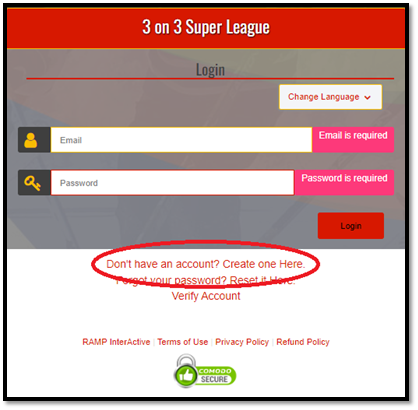
- Click on the “Don’t have an account? Create one Here” link
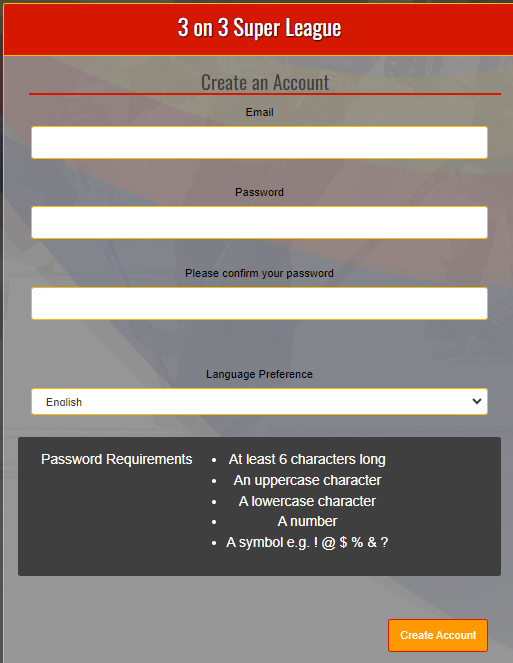
- Provide an email address, password and language preference for the account. Click on “Create Account”
- This will then return you to the login screen where you can put in your username and password. Click on “Login”

- If the email address was used previously for a RAMP registration, you will see the above error. Your single RAMP account is used for multiple associations and is not solely for our league.
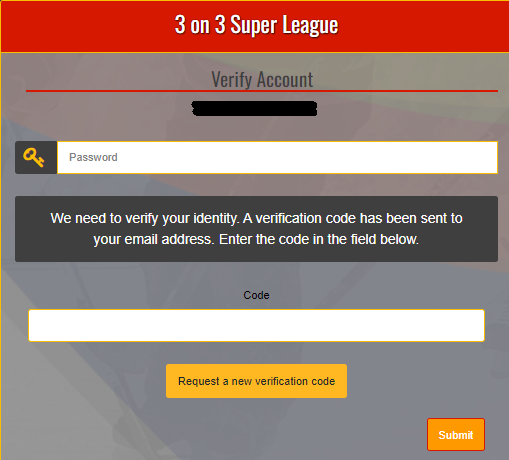
- To verify your identity, a verification code will be sent to the email address you supplied.
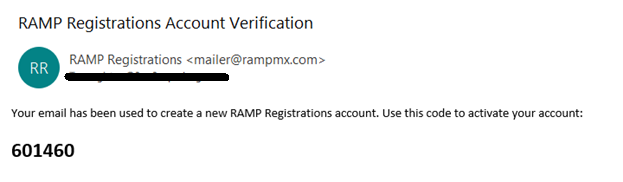
- The email will supply you with a code.
- Enter your password and the code. Click on Submit
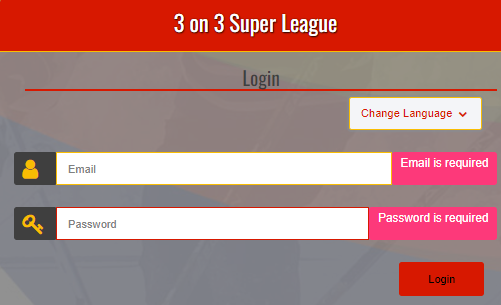
- Put in your email address and password and click on “Login”
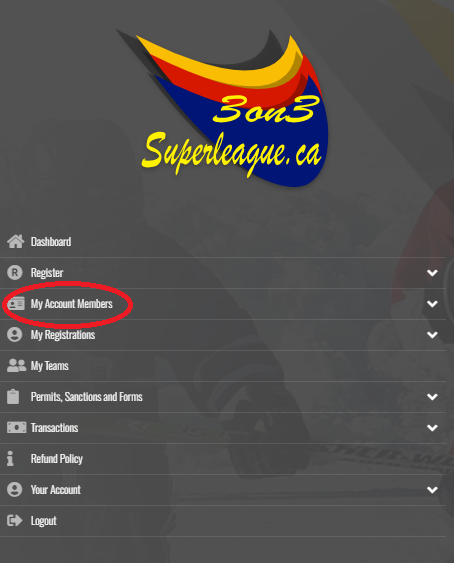
- Once logged in, you will see your dashboard with a number of options on the left.
- If you haven't already, you should set up your Family Members.
- Click on “My Account Members” and select “Add an Account Member” from the drop down menu that appears.
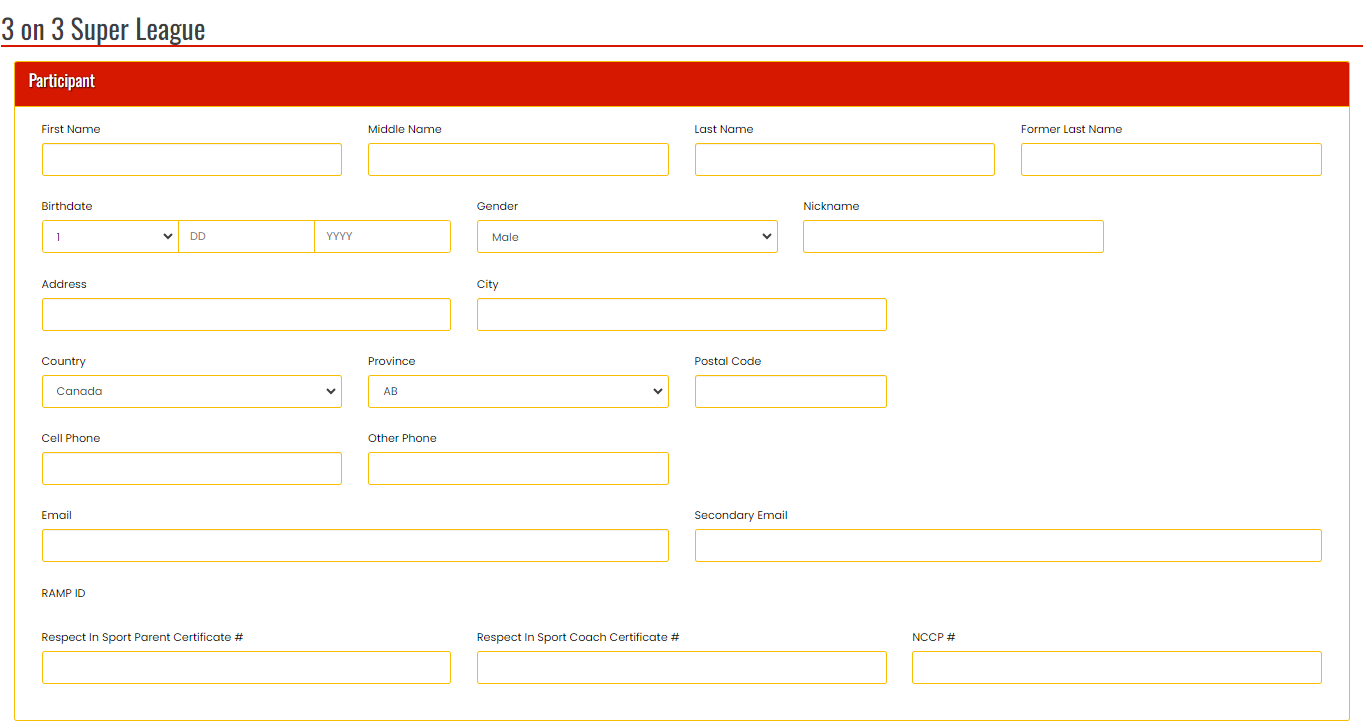
- For our league, all we require is that the “Participant” information is filled out. We do not require any of the information in the RAMP ID portion at the bottom. Once complete, scroll to the bottom of the screen and click on “Submit”.
- Do this for all members of your household that you will be registering